KNOW WHEN TRAINEES ARE FLOOR READY
Complete Documentation of Audio Recordings, Trainer DOR, Printed CAD – Every Call – Full Portfolio
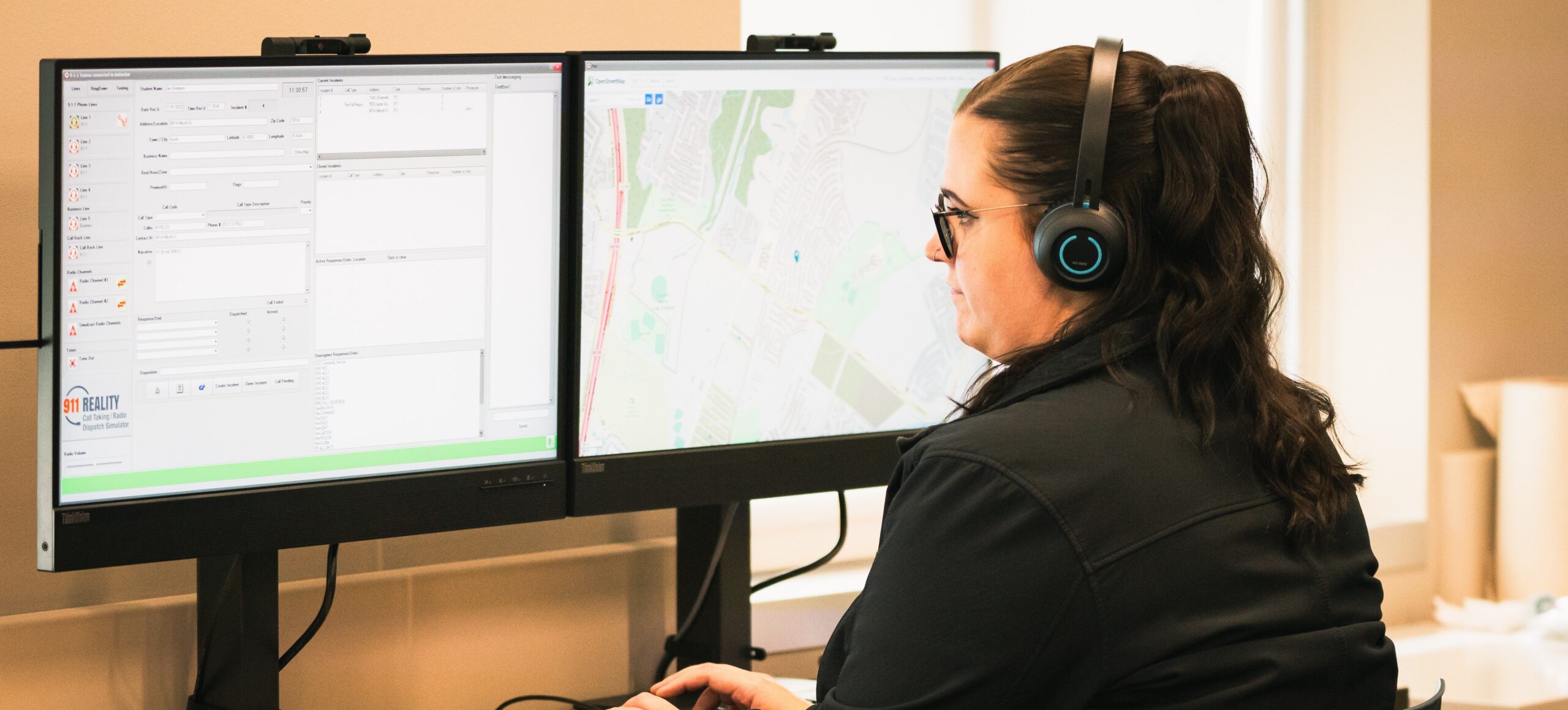
9-1-1 Reality PLUS Text + Mapping
$21,950.00

- No IT – Plug and Train appliance
- Training accountability portfolio
- Faster floor readiness customizable
- State of the art equipment for your lab
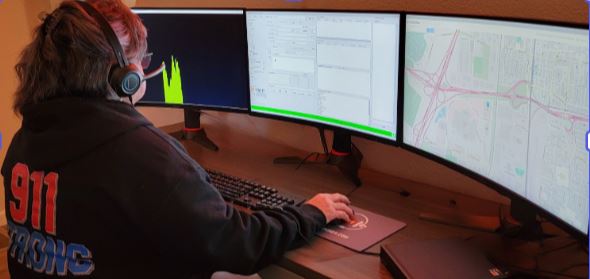
9-1-1 Reality Pro-Comm – On AIR Radio
$25,950.00
- Continuous radio communications

- Active shooter events training
- Detailed documentation
- Multiple trainee stations for team-based exercises
SIMULATION IS NOT NEW, JUST OVERDUE
Police have the firing range, ems rubber dummies, fire burn houses,
communications 9-1-1 Reality. Designed by professional trainers just like YOU.

Recreate the Comm
Center Setting
No more feet to the fire. Let them practice and learn basic entry level call taking and radio dispatch.

Invest in Your Training & Trainers
Increase retention. How much does it cost to lose a trainee after one month? One month of Reality.

Experience Confidence Learning
Let’s see. Trainee confidence, skills documentation, support, a tool for your trainers. All things good.
Simulator Q&A
Whether you’re exploring how our simulators integrate with your systems or wondering about setup and security, we’ve got the answers. Our goal? Make sure you’re fully informed, comfortable, and ready to take your training to the next level.
Still Have Questions? Let’s Talk!
Contact us to speak with a product expert or request a quote.
Does the simulator have security, does it go online?
The simulator has a router with security. The only reason to go online is for mapping. None of the stations use wifi as they are hardwired stand alone systems.
Can we use our own computers and just load the software?
No – short answer. The 9-1-1 Reality Simulator software is customized, configured and thoroughly tested prior to delivery. Imagine the Windows and Network settings needed to allow the complex system of multiple phone lines, multiple radio channels, recording studio, sound effects, text to 9-1-1 and the list goes on. We also use the latest state of the art equipment with the exact requirements we need.
Do you come out and set them up?
No, and Yes. Not required, not needed, but yes we can assist in the installation in the event you have multiple students. Most agencies appreciate the ability for ‘plug and train’ setup on their own timing and personnel. You have very clear setup videos and 100% phone or online support. The router is pre-programmed with security whitelisted only for mapping.
Can the stations work with our CAD program?
Common question. A coalition of 9-1-1 professional trainers and educators designed the CAD card on the simulator. We recognized there are many CAD systems, yet we created an entry common muscle memory using a ‘training CAD’. Using this simplified CAD card does wonders introducing and understanding a more complex CAD system.
Can we use our own headsets for the stations?
Sure. Our headsets are pretty amazing though.
What does the warranty cover?
The warranty is for the equipment; computer, monitors and accessories. The software is warranted for the life of the computer.
Is there a yearly fee for upkeep and do I have to pay for upgrades?
No fees at all, you own this great hard working reliable training tool. We have systems still working for the last fifteen years. If we have a required ‘update’, such as some nasty change in Windows, we can work on your station remote. If we have a significant ‘upgrade’, we will offer this to you for minimal cost. Upgrades are never required.
Can we purchase the simulator using our own monitors or headsets?
Customer-supplied displays, audio devices, or other hardware are not included in the supported system configuration and are not covered under warranty. Customers may elect to connect additional peripheral equipment after installation; however, the performance, compatibility, and supportability of third-party hardware remain the responsibility of the customer and may not be covered under our technical support or warranty programs. While customers are free to connect additional displays, headsets, or other peripheral devices after installation, our warranty and technical support apply only to the simulator as originally configured and delivered. We cannot guarantee the performance or compatibility of customer-supplied hardware.
ange the order of the Units?
Yes – you can rearrange the Units so they conform to your syllabus.
What topics does the Academy cover?
Everything you need to build foundational understanding of 9-1-1 from its history to its future to practical preparation for a great career in 9-1-1. Link to 911_Manual_Table_of _Contents.
Can I use the Academy with Canvas?
Not directly; they are competing platforms. If you are familiar with Canvas, Teachable operates similarly. The teacher/school can direct students inside Canvas to our course on Teachable using external links.
How many hours/credits is the course?
That is up to you and your team. However, we strongly recommend that you have at least as many credits/hours as you would for any other public safety course (9-12 credits/30-40 hours for a HS CTE course).
What type of training/support is available to new teachers?
We provide video tutorials which are available in the Owner’s Room. We can schedule live, online training with you and your team on TEAMS. We also provide ongoing support via email, chat or phone Monday through Friday from 9:00 am until 2:00 pm Pacific Time.
What websites does IT need to safelist so students can access the course and the NECC exam:
- 9-1-1Academy.com (for course)
- Teachable.com (for course)
- ClassMarker.com (for NECC exam)
- 911CareerTraining.com (for job search)
- 911Trainer.com (to purchase seats online)